
Ask Your Supply Chain: the epc.is MCP Server
Ask Your Supply Chain: the epc.is MCP Server
In May I wrote that the most important reader of a Digital Product Passport will be a machine. The three GS1 standards behind a passport already give that machine everything it needs to read one product. What it could not do yet was ask the question people actually ask: where did this come from, and what happened to it on the way?
That answer lives in EPCIS events, and from today an AI agent can read them. https://mcp.epc.is/mcp is a Model Context Protocol server over the epc.is repository. Connect it to Claude, sign in with your epc.is account, and ask.
What the agent can do with it
The server offers fifteen tools, and every one of them only reads. The one you will use most is trace. Give it a serial number, a lot or an SSCC and it walks the events backward to what the item was made from and forward to what was made from it, level by level through every transformation, every packing step and every shipment, down to where each result was last seen. For a returnable asset such as a crate or a pallet it answers what the asset carries right now.
Around it sit the tools an agent needs to work with GS1 data correctly. query_events speaks the EPCIS Query Language. masterdata and links resolve a GS1 Digital Link to what the resolver knows about a product, place or party and to its full linkset. validateIdentifier checks a check digit, which a language model reliably gets wrong when it does the arithmetic itself. The CBV tools look up business steps and dispositions with their definitions, so the agent uses the vocabulary as written.
Three prompts give you a running start: trace a product, explain an event and audit a lot, the last one optionally against EUDR, a Digital Product Passport or FSMA 204.
Answers you can check
A supply chain answer is only worth something when a person can verify it. The server returns every event with its eventID, and its instructions ask the model to cite the eventID behind every statement and to say plainly where the chain has a gap. You read the agent's story and can open each event it rests on.
Your rights, nothing more
The agent signs in as you, through OAuth on auth.epc.is, and the server passes your token unchanged to the EPCIS API. It sees exactly what your account sees, tenant isolation stays where it always was, and the server keeps nothing. Every call is a GET on the repository: an agent connected to epc.is can read and explain your supply chain and has no way to change it.
Connect in a minute
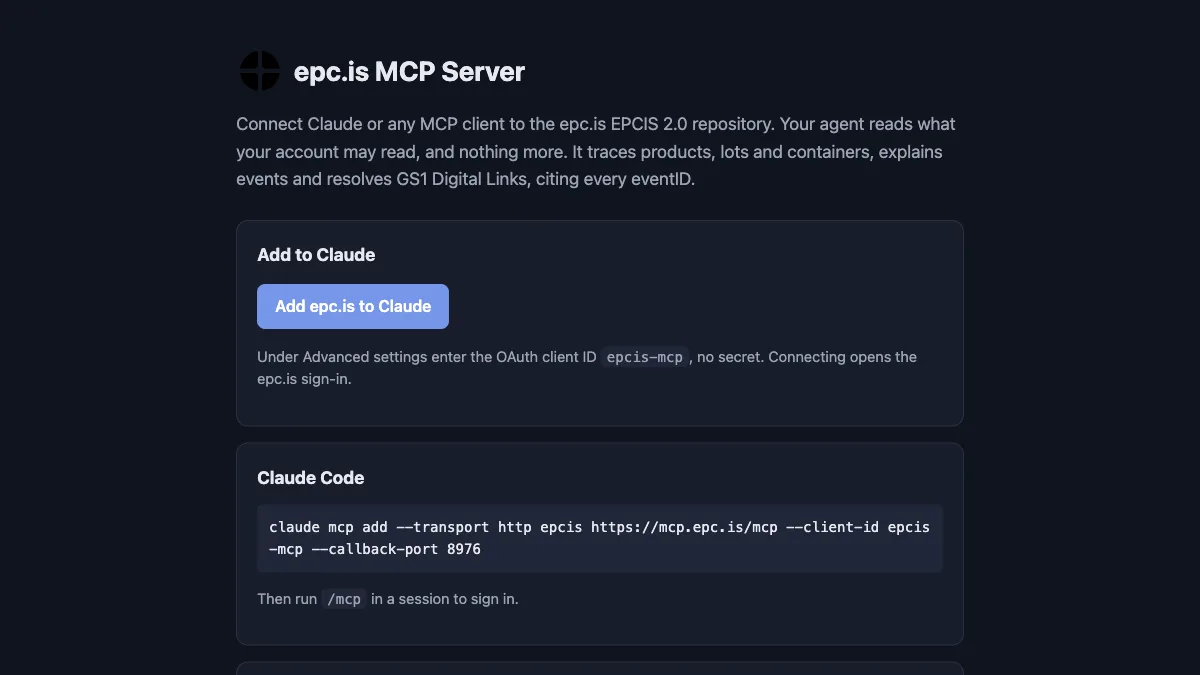
Every epc.is account may use the server. In Claude, open Settings, Connectors, add a custom connector with the URL https://mcp.epc.is/mcp and the OAuth client ID epcis-mcp. In Claude Code it is one command:
claude mcp add --transport http epcis https://mcp.epc.is/mcp --client-id epcis-mcp --callback-port 8976
The documentation has a button that opens Claude's connector dialog already filled in, the full tool list and a troubleshooting table.
Findable by agents, too
A capability that nobody can find does not help anyone, and Andrea Volpini's piece on how to promote an MCP server gave us a useful checklist. The server is listed in the official MCP Registry as is.epc/mcp, publishes an MCP Server Card at https://mcp.epc.is/mcp/server-card, and epc.is points to it from /.well-known/ai-catalog.json. The documentation page describes the endpoint in Schema.org JSON-LD. A person finds a button, and an agent finds a machine-readable description of the same thing.
What comes next
We are adding recall, chain of custody and summaries per business step, and we want sign-in to work without typing the client ID. If you build with EPCIS and AI agents, create an epc.is account, connect it, and tell us what your agent asked and what it answered. That is the feedback we are after.